 DeckAdd
Run your PC with a single touch
DeckAdd is a touch controller that sits on your desk. Volume, music, streaming, shortcuts and more, all on tiles you arrange yourself.



A separate screen for every job
Gaming, music, work... Each profile has its own tiles, background and colors. When a program comes to the front, its profile opens by itself.
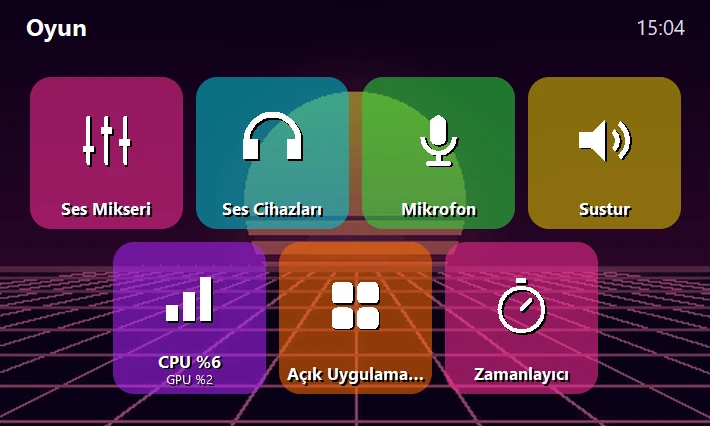 Gaming
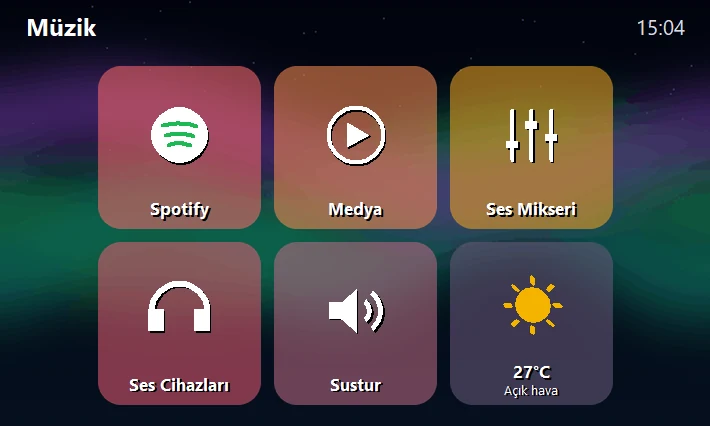 Music
Music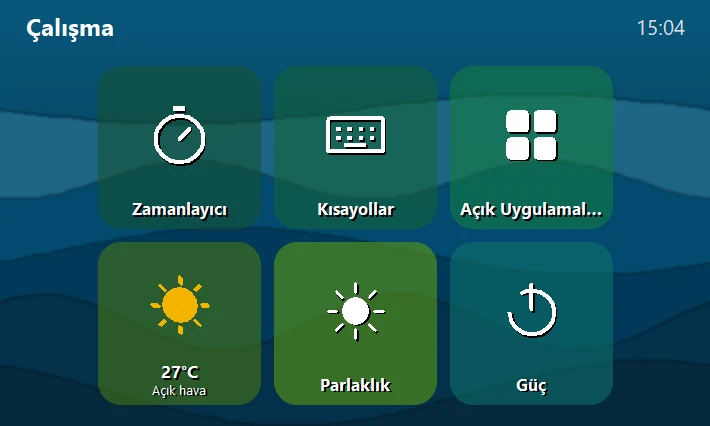 Work
WorkEverything within reach
Touch a tile and your PC does it. Everything is arranged by drag and drop in the app.
Volume mixer
Set the volume of each program separately: games, Discord, browser.
Spotify and media
See what's playing, pause, skip and control the volume.
Streaming and Discord
Control OBS, follow Twitch / Kick chat and viewers, mute on Discord.
Shortcuts and macros
Key combos, open sites and folders, multi-step macros.
Smart profiles
When a program comes to the front, the profile you assigned to it opens.
Voice assistant
Say “Hey DeckAdd”; lower the volume, skip a song, set a timer.
Store and customization
Animated backgrounds, themes, glass tiles and your own icons.
Cloud backup
Your settings and tiles are backed up with your account and move to another PC.
Alive even in standby
If you don't touch the device for a while, the tiles float around the screen and bounce off each other and the edges. The moment you touch it they return to their places. Pick the time in the app, or turn it off.
Leave the device above alone for a few seconds and you'll see.
Ready in three steps
Install the app
Install DeckAdd on Windows and sign in with your account.
Plug in the device
One USB cable is enough; no driver is needed on Windows.
Arrange your tiles
Drag and drop tiles in the app; changes show up on the device instantly.
The device is open for pre-registration
We'll tell you first when the first batch is ready. Leave your email; we won't use it for anything else.