 DeckAdd
DeckAdd Device
Bring your PC's control panel to your desk: touch, turn, press. The device connects with a single cable; your tiles and settings come from the DeckAdd app.
Images are design illustrations; the device may change before production.



Parts
5-inch touch screen, rotary knob, one cable.
Screen
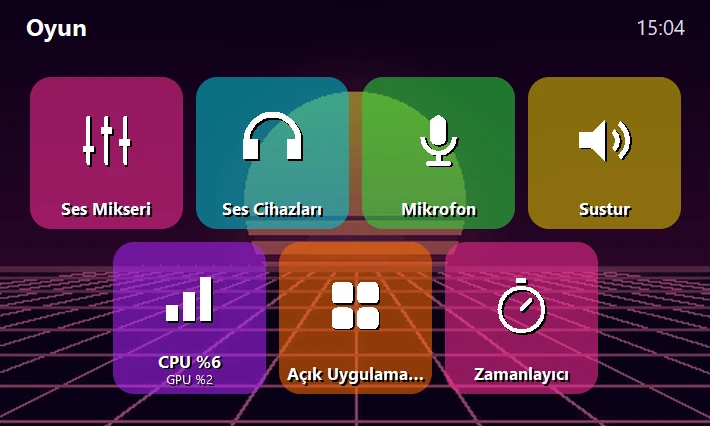
5-inch IPS touch screen (800 × 480). Tiles, Spotify, the volume mixer and tool screens live here.
Rotary knob
A pressable knob: volume, scrolling, profile switching. Inside apps it does that tool's job.
USB-C cable
One cable for connection and power. Windows recognizes it on its own; no driver needed.
Headphone and USB ports
Designed so you can plug in your headphones and USB devices right into the device.
Who is it for?
Gamers
Control the volume mixer, Discord and your mic without leaving the game.
Streamers
OBS, Twitch / Kick chat and sound effects at your fingertips.
Workers
Mic and camera in meetings, shortcuts, a timer and window layout.
Specifications
Target specs; they may change before production.
Frequently asked
When will the device be available?
We haven't set a date yet. People on the pre-registration list will hear first.
How much does it cost?
The price isn't announced. We'll share it when the production cost is settled.
Can I use the app without the device?
Yes. You can install the app and arrange your tiles; they show in the preview. Plug the device in and the same layout goes to it.
Which computers does it work with?
Windows 10 / 11 (64-bit) for now. No driver is needed.
How do updates arrive?
The app updates itself. We'll announce device firmware updates separately.
Where is my data kept?
Your tiles and settings stay on your PC. You can turn on cloud backup with your account. Details are on the privacy page.
The device is open for pre-registration
We'll tell you first when the first batch is ready. Leave your email; we won't use it for anything else.